
NFC vs QR Code Business Cards: Which Should You Choose?
NFC vs QR code business cards: compare speed, cost, compatibility, and durability to pick the right one. Or use both with a free wCard.io card.

In this article
- Introduction
- How NFC and QR Code Business Cards Actually Work
- NFC vs QR Code Business Card: Side-by-Side Comparison
- Common Objections (and Honest Answers)
- Which One Should You Choose? A Guide by Use Case
- How wCard.io Lets You Use NFC and QR Together
- Beyond the Card: Where NFC and QR Are Heading
- Frequently Asked Questions
- Conclusion
Introduction
You're at a conference. Someone asks for your details. You can hold out a card and let them tap it with their phone, or you can show a code they scan with their camera. Both take a couple of seconds. Both land them on the same digital profile. So does the choice matter?
It does — more than most people think. The NFC vs QR code business card decision affects who can open your card, how it looks in someone's hand, what it costs, and how well it works in a noisy, dimly lit event hall.
Here's the short answer: QR codes win on reach and cost, NFC wins on speed and first impressions. The best setup for most professionals uses both.
In this guide, we'll break down how each technology works, compare them side by side, cover the objections people raise about each, and help you pick the right option for your role — whether you're a solo consultant or rolling cards out to 300 employees.
How NFC and QR Code Business Cards Actually Work
Before comparing them, it helps to know what's going on under the hood. Neither technology stores your full profile. Both simply point a phone to a web link where your digital card lives.
How NFC business cards work
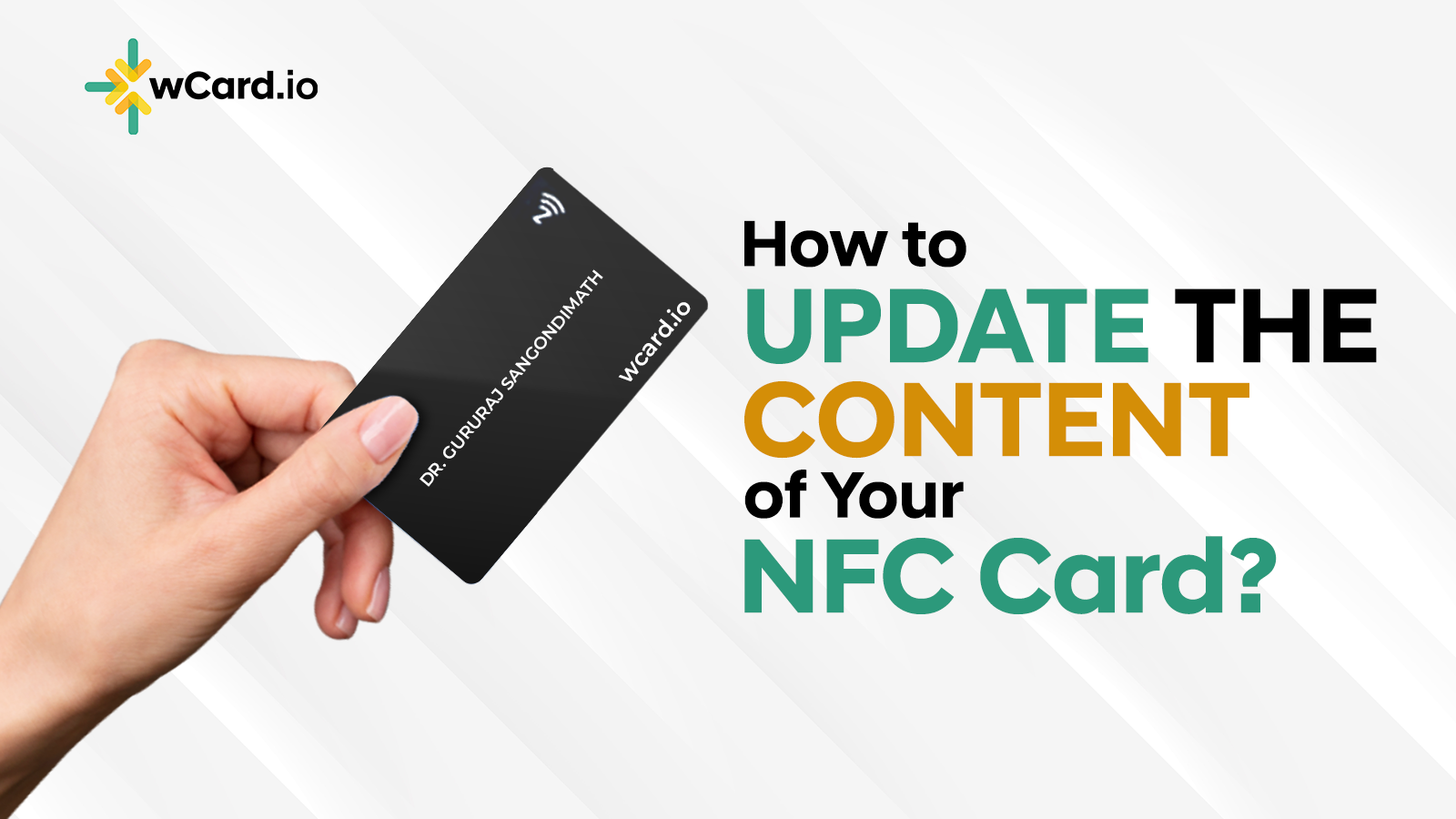
An NFC business card has a tiny chip and antenna embedded inside it. NFC stands for Near Field Communication, a short-range wireless standard that also powers tap-to-pay.
The chip has no battery. When a phone comes close, the phone's NFC reader powers the chip with a small magnetic field. The chip then hands over a short piece of data — usually a URL. The phone opens that link in the browser, and your profile appears.
The range is tiny by design, typically around 4 cm. That's a feature, not a bug. It means nobody can read your card from across the room.
The chips themselves hold very little. According to NXP's NTAG213/215/216 datasheet, the most common business-card chips offer between 144 and 888 bytes of user memory. That's enough for a link, not a full contact file. This is why good NFC cards store a link to a live profile rather than your details directly.
How QR code business cards work
A QR code business card uses a printed two-dimensional barcode. The phone's camera reads the pattern and decodes the text inside — again, usually a URL.
QR codes come in two flavors:
- Static QR codes hard-code the data. If you encode your phone number and it changes, you need to reprint.
- Dynamic QR codes encode a short redirect link. You can change where it points at any time without touching the printed code.
For business cards, dynamic is the only sensible choice. The same logic applies to NFC: write a link to your live profile once, and update the profile — not the card — whenever something changes.
The key insight
Both technologies are just delivery methods. The real product is the digital profile behind them. That's why the smartest question isn't "NFC or QR?" but "How will people reach my profile in every situation?"
NFC vs QR Code Business Card: Side-by-Side Comparison
Let's put the two head to head across the factors that matter most in real networking.
| Factor | NFC Business Card | QR Code Business Card |
|---|---|---|
| How to share | Tap card to the back or top of a phone | Recipient opens camera and scans |
| Speed | About 1–2 seconds | About 2–5 seconds |
| App needed? | No, on modern phones | No, on modern phones |
| Phone compatibility | Most modern phones; iPhone XS/XR and newer read in the background | Nearly any smartphone with a camera |
| Works on screens? | No — needs a physical chip | Yes — email signatures, slides, video calls, websites |
| Works in low light? | Yes | Can struggle in dim venues |
| Physical cost | Higher — chip adds cost per card | Very low — just printing |
| Durability | Chip can fail if bent or cracked | Code can fail if scratched, faded, or dirty |
| Security | Very short range; hard to intercept | Anyone who sees the code can scan it |
| Wow factor | High — feels premium and memorable | Familiar and practical |
| Editable after printing | Yes, if it points to a dynamic profile | Yes, if it's a dynamic QR code |
Speed and convenience
NFC is the faster experience. There's no camera to open, no framing, no focus. The recipient holds their phone near the card and a notification pops up.
That speed matters most in high-volume settings. If you're at a trade show booth meeting 80 people in a day, shaving seconds off each exchange adds up. It also lowers the effort for the other person, which means fewer "I'll grab it later" moments that never happen.
Compatibility and reach
This is where QR codes pull ahead. Virtually every smartphone can scan a QR code with its built-in camera. Apple added native QR scanning to the iPhone camera back in 2017, and Android followed.
NFC support is also widespread, but it has more edge cases. On iPhones, background tag reading works on the iPhone XS and newer, as long as the phone is unlocked, the camera isn't open, and airplane mode is off. Most mid-range and flagship Android phones support NFC, but some budget models skip it, and a few users switch it off in settings.
The takeaway: QR has near-universal reach. NFC reaches most people, but not all.
Where each one can live
A QR code isn't limited to paper or plastic. You can put it in your email signature, on a Zoom background, on a conference slide, on packaging, or in your Apple Wallet. That makes it the better choice for any contactless business card moment that happens on a screen.
NFC only works where there's a physical chip. That's usually a card, but it can also be a phone sticker, a keychain, a desk stand, or a wristband.

Common Objections (and Honest Answers)
Both technologies have critics. Here are the concerns we hear most, and what's really true.
"People don't know how to tap an NFC card."
This is fair. Awareness of tap-to-share is growing, but it's not yet as universal as scanning a QR code. Many people still hold the card against the wrong part of their phone.
The fix is simple. Tell them: "Hold it near the top of your phone." Most people get it on the first try after that. And if a phone doesn't respond, a printed QR code on the same card solves it instantly.
"QR codes look cheap or dated."
QR codes had a rough reputation in the early 2010s, when people needed a separate app to scan them. That changed once cameras began scanning them natively. The pandemic then made QR menus and check-ins part of daily life.
In fact, eMarketer forecasts that around 102.6 million US consumers will use their smartphones to scan QR codes in 2026. Scanning is no longer unusual. A well-designed QR code with your brand colors and logo looks modern, not dated.
"Are NFC business cards a privacy risk?"
Not in any meaningful way. A business card NFC chip holds a public link — the same link you'd happily share anyway. The chip's very short range means someone would need to physically hold a phone against your card to read it.
A bigger privacy question is what's on your profile. Only publish what you'd be comfortable handing to a stranger at an event. Keep your home address off it.
"Are QR codes safe to scan?"
The risk with QR codes isn't your card — it's fake codes stuck over real ones in public places, a scam known as "quishing." Your recipients can see the destination URL before opening it on most phones. Using a branded or custo
m domain for your profile makes that preview look trustworthy rather than suspicious.
"What if the NFC chip breaks?"
NFC chips are durable, but they're not indestructible. Bending a card sharply, cracking it, or punching a hole through the antenna can kill it. Metal cards also need special design so the metal doesn't block the signal.
QR codes have their own weak spots: scratches, fading, glare on glossy finishes, and low contrast designs. A card with both technologies gives you a built-in backup if one fails.
Which One Should You Choose? A Guide by Use Case
There's no single right answer. The best choice depends on how and where you network.
Choose QR-first if you…
- Network mostly online. Video calls, webinars, and email don't have NFC. A QR code in your signature or slides reaches people anywhere.
- Need the lowest cost per card. Printing a QR code costs almost nothing. That's ideal for handing out at scale.
- Serve a broad audience. If you meet people with older or budget phones, QR is the safest bet.
- Put your card on marketing materials. Flyers, posters, product packaging, and signage all work best with QR.
Choose NFC-first if you…
- Network in person often. Sales reps, founders, real estate agents, and event staff benefit most from tap speed.
- Want to leave a memorable impression. A tap card feels premium. It's a conversation starter.
- Reuse one card for years. One NFC card replaces thousands of paper cards, so the higher upfront cost pays off quickly.
- Work in low-light venues. Bars, evening events, and dim conference halls can trip up cameras. NFC doesn't care about lighting.
Choose both if you… (most people)
Here's the thing: you don't have to pick. The most practical NFC business card has a QR code printed on it. Tap works for most people. Scan catches everyone else. And the same QR code lives in your email signature and wallet for all the moments when there's no physical card at all.
For teams and businesses
If you're rolling out cards to a whole team, think about management, not just technology. What happens when an employee changes roles? When your office moves? When someone leaves?
With both NFC and dynamic QR, the answer should be the same: update the profile from a central dashboard, and every card keeps working. Avoid any setup where changes mean reprinting or re-encoding chips one by one.

How wCard.io Lets You Use NFC and QR Together
We built wCard.io around a simple idea: the technology should get out of the way. Your digital profile is the product, and every sharing method should point to it.
One profile, every sharing method
Every wCard.io profile can be shared by QR code, direct link, Apple Wallet, and email signature. Add an NFC business card and you get tap-to-share too — with a QR code printed on the card as a fallback for any phone without NFC.
Because every method points to the same live profile, you update your details once and they change everywhere. New job title? New phone number? Nothing gets reprinted. See the full list of wCard.io features for what you can add, from video and PDFs to lead capture forms.
Your domain, your brand
Most platforms send people to a link on their own domain. With wCard.io, you can connect a custom domain to your digital card. That matters for QR codes in particular: when someone scans your card, the preview shows your brand, which builds trust and helps people avoid scam links.
Built for teams
For companies, the team dashboard lets admins create, edit, and manage cards for every employee from one place. Keep branding consistent, reassign cards when roles change, and connect leads to your existing CRM through thousands of integrations.
Pricing that scales with you
You can start with a free card. When you need more, wCard.io uses pay-as-you-go pricing with a wallet system instead of forcing monthly per-card fees. That's useful for businesses with seasonal staff or fluctuating headcount.
For agencies and print shops
If you sell business cards to clients, NFC is a natural upsell. Our white-label reseller program lets you offer NFC and QR digital business cards under your own brand, on your own domain, with your own pricing.

Beyond the Card: Where NFC and QR Are Heading
The NFC vs QR debate is really a snapshot of a fast-moving space. Here's what to watch.
Wallet-based sharing is growing
Digital wallets are becoming a third sharing channel. A business card saved in Apple Wallet or Google Wallet lives right next to boarding passes and tickets. It's always one swipe away, even without a physical card. Wallet passes typically display a QR code, which keeps QR relevant even as NFC use grows.
Phone-to-phone exchange is improving
Operating systems are adding more native ways to swap contacts by bringing two phones together. These features are handy between friends on the same platform. But they don't carry your branding, your links, or your lead capture. A digital business card still does that job better, especially across iPhone and Android.
NFC is spreading beyond cards
NFC tags now show up on stands, stickers, product packaging, and even review cards on shop counters. The same "tap to open a link" behavior people learn from contactless payments is making tap-to-share feel more natural every year.
QR codes are getting smarter
Dynamic QR codes already dominate the market. Research firm Mordor Intelligence reports that dynamic codes made up about 65% of QR code format revenue in 2025. Expect more analytics, better branding, and deeper links into CRMs and marketing tools.
Analytics will decide the winner — for you
Whichever technology you choose, track it. A good platform shows you how many people tapped, how many scanned, and which channel leads to saved contacts. After a few events, your own data will tell you which method your audience prefers.
Frequently Asked Questions
Is NFC or QR better for a business card?
Neither is better in every case. QR codes work on nearly every smartphone and cost almost nothing to print, so they offer the widest reach. NFC is faster and feels more premium, but a small share of phones can't read it. For most professionals, an NFC card with a printed QR code on it is the best choice. It gives you speed with a universal backup.
Do NFC business cards work with iPhones?
Yes. iPhone XS, XR, and newer models can read NFC tags in the background, with no app needed. The phone must be unlocked, the camera must be closed, and airplane mode must be off. The user simply holds the card near the top of the iPhone. Older iPhones can still scan the QR code if one is printed on the card.
Do people need an app to open an NFC or QR code business card?
No. Modern iPhones and Android phones read NFC tags and scan QR codes natively. The link opens in the phone's web browser, so the recipient doesn't have to install anything. This is a big advantage over older digital card systems that required both people to use the same app.
Can I update an NFC or QR business card after it's made?
Yes, as long as it points to a dynamic profile. The NFC chip or QR code stores a link, not your actual details. You edit the profile online, and anyone who taps or scans later sees the updated version. Avoid static QR codes that encode your contact details directly, because you'd need to reprint them after any change.
How long does an NFC business card last?
A well-made NFC card can last for years and handle many thousands of taps. The chip has no battery to wear out. The main risks are physical damage: sharp bending, cracks, or holes through the antenna. Keeping the card in a wallet or cardholder helps it last much longer.
Are NFC business cards worth the extra cost?
For people who network in person regularly, usually yes. One NFC card can replace hundreds or thousands of paper cards, and it makes a stronger impression. If you mostly network online or rarely attend events, a QR code in your email signature and wallet may be all you need.
Conclusion
The NFC vs QR code business card question has a practical answer: use each for what it does best. QR codes give you universal reach, near-zero cost, and a way to share on screens. NFC gives you speed, a premium feel, and a better experience in busy or dim settings.
The real win comes from combining them. An NFC card with a printed QR code covers every phone. The same QR code in your email signature and digital wallet covers every moment when there's no card in your hand. And a single editable profile behind both means you never reprint again.
That's exactly how wCard.io works. Tap, scan, link, or wallet — every method leads to one live profile you control, on your own domain if you want it.
Curious to see it in action? Create your free digital business card on wCard.io today, then add an NFC card when you're ready to tap.